
Solana Name Service (sns.id) is an identity system running on the Solana blockchain. It supports adding an IPNS record to the name, and furthermore, there is a gateway to access .sol names with IPFS/IPNS records.
You can register your Solana name at sns.id. Phantom wallet app is recommended, and have some USDC in the wallet.
Step 1 · Copy IPNS
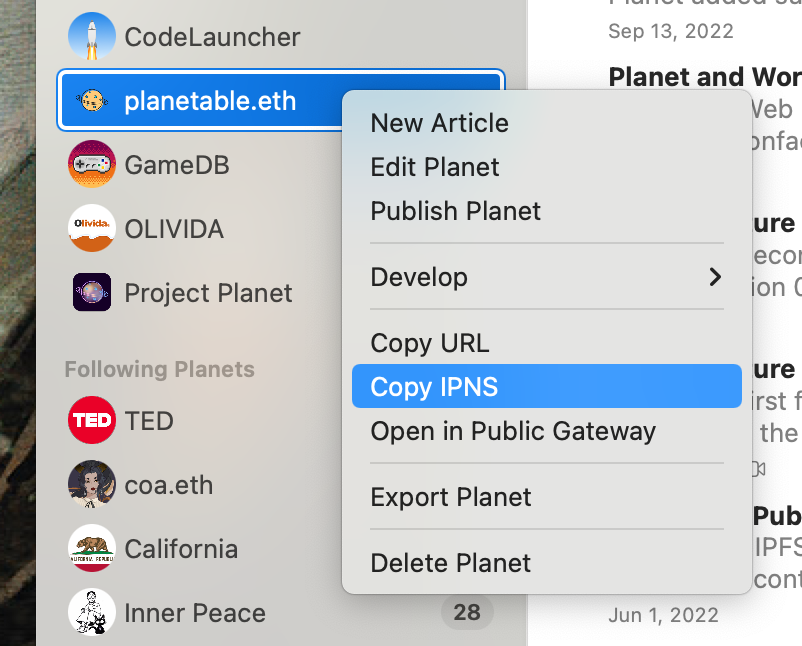
Right-click your website under My Planets and select Copy IPNS. You will get its IPNS in the pasteboard, and it will be a long string that starts with k51.
Step 2 · Set IPNS Record
Open your name's records page, click Edit Records.
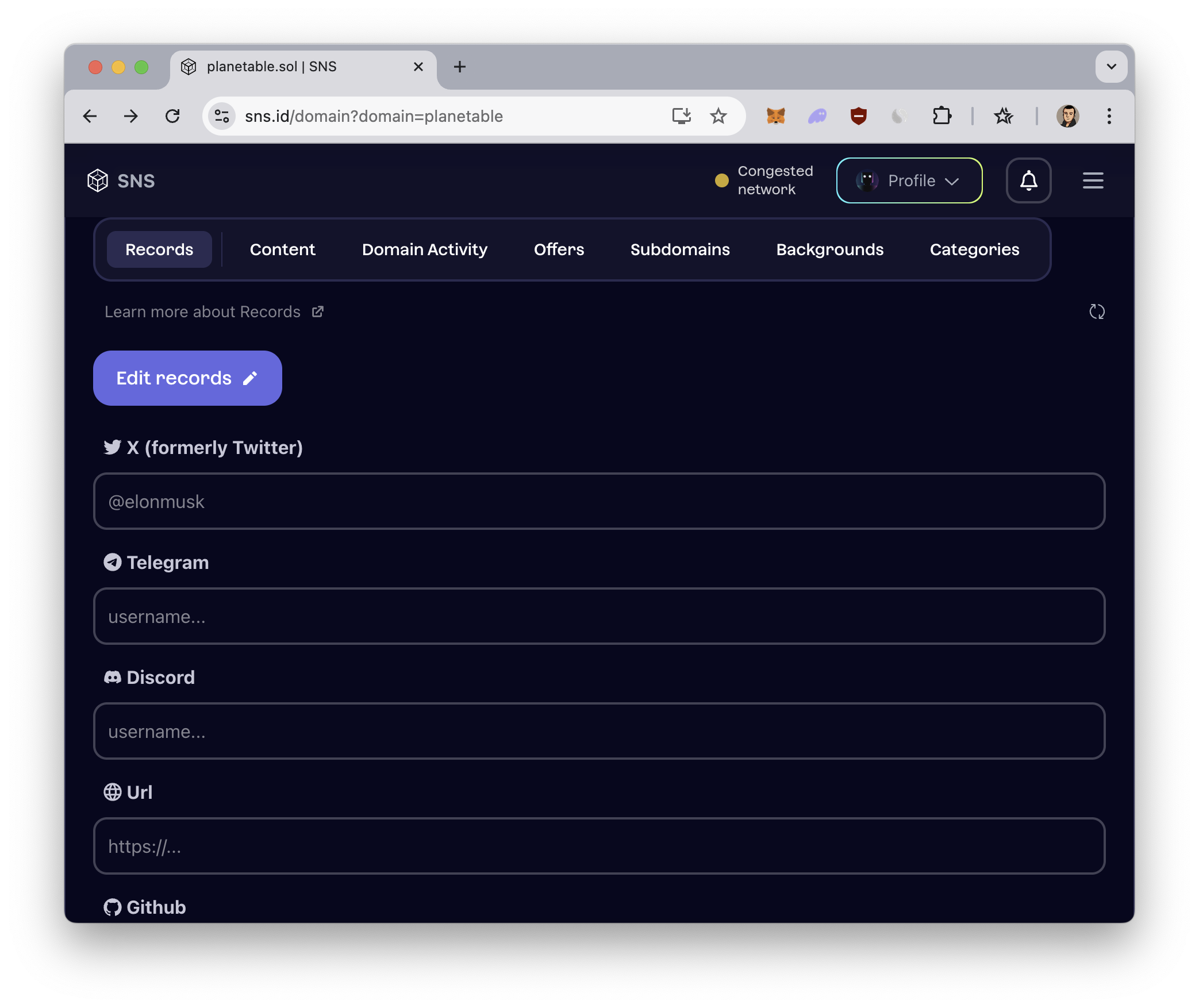
Find the row named IPNS, and paste the IPNS string (it starts with k51).
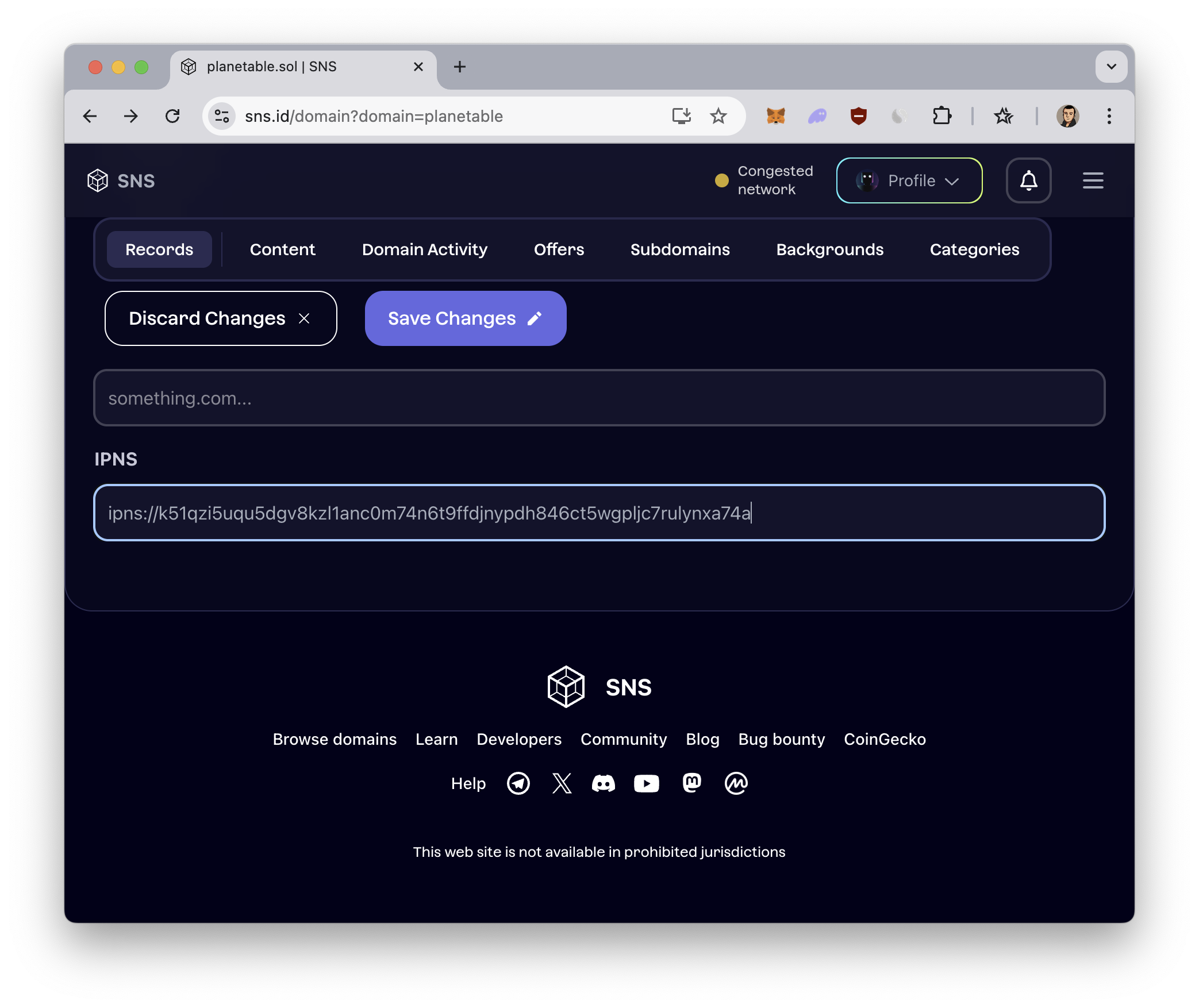
And click Save Changes.
Step 3 · Access
Solana is a fast blockchain, capable of updating your record in less than a second. Once your IPNS record is saved, you can access your website using the sol.build public gateway.